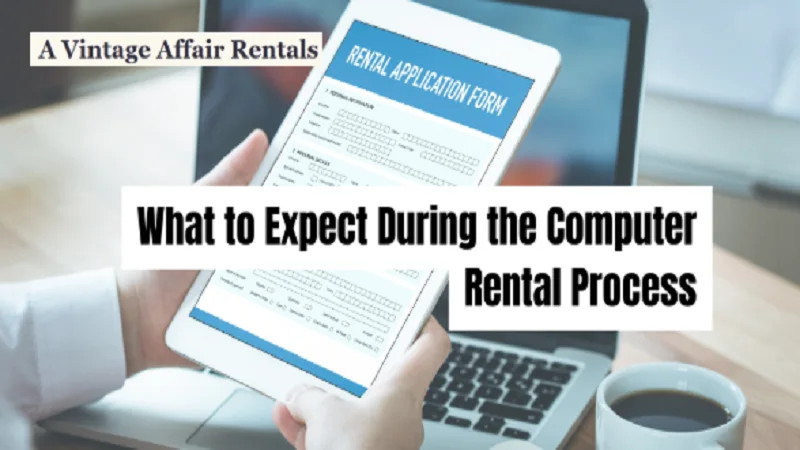
What to Expect During the Computer Rental Process
The computer rental process starts with browsing available equipment, requesting a quote, signing an agreement, receiving delivery with setup support, and arranging returns or extensions when your rental period ends.
Most Brisbane businesses complete their first rental booking quickly once they understand how providers like A Vintage Affair Rentals handle quotes, delivery logistics, and support services. Plus, you avoid the upfront cost that comes with ownership while still using the latest technology.
In this article, we’ll cover how to browse tech rentals and customise your solution with rental providers. We’ll also talk about everything that’s included in rental agreements, how equipment delivery and setup support work, and what options exist for returns or extensions.
Read on to find out how to make the computer rental process effortless for your next event.
How Does the Computer Rental Process Work?
The computer rental process follows five stages: browsing equipment catalogues, customising your tech solution, signing agreements, receiving delivery with setup, and managing returns or extensions when finished.
We’ll walk through all five stages in this article, but first, let’s focus on the first two.
Browsing the Comprehensive Range of Tech Rentals
Most people skip this step, but this is where you narrow down what you need. Rental providers usually show laptops, desktops, monitors, and accessories all in one online catalogue. From there, you pick models based on your event dates, performance needs, and how many devices are required.
Then filters can help narrow choices by processor speed, screen size, operating system, or rental duration. For example, if you’re hiring 20 laptops for a three-day conference, you can filter by Windows 11, 15-inch screens, and weekly hire rates. That’s how you access the right tech rentals without wading through every single device a provider stocks.
Customising Your Solution with Rental Providers
The team will confirm software installations, peripheral add-ons, and delivery logistics before finalising your quote. After setting up tech at over 200 Brisbane corporate events, we’ve learned that enterprise clients often request custom configurations like pre-loaded presentations or security settings.
However, pricing changes based on rental length, device specs, and whether you need technician support on-site. To give you an idea, a basic laptop hire for a week costs less than the same device with professional setup assistance at the Brisbane Convention Centre.
What’s Involved in Your Rental Agreement?
Rental agreements protect both you and the provider while spelling out the terms of your booking, such as the rental period, total costs, payment schedule, and any deposits or cancellation fees. It might sound boring, but reading through the terms takes about five minutes and prevents confusion later.
Here’s what you’ll find in most contracts.
Terms You’ll See in Every Contract
Rental agreements specify pickup dates, return deadlines, damage policies, and what happens with late fees. These terms cover issues like when your lease period starts and what constitutes normal wear versus actual damage to the assets.
What’s more, most contracts include insurance options that cover accidental damage during your event or project timeline. Without this coverage, replacing a broken laptop can cost a fortune if something goes wrong during setup.
The agreement also clarifies whether the provider maintains equipment during longer rentals or if you’re responsible for keeping devices working properly.
Payment Options for Small Businesses
Small businesses generally pay via invoice, credit card, or direct debit, depending on rental duration. At the end of the day, nobody enjoys dealing with surprise charges weeks later, so most providers outline all costs upfront in the rental agreement.
You’ll get the security deposits refunded after equipment returns in good condition with all original accessories included. The refund typically processes within 5-7 business days once the provider inspects returned devices and confirms everything works.
Some providers even offer payment plans for longer rentals instead of requiring full upfront payment immediately. This flexibility helps businesses manage their budget better, especially when hiring equipment for multi-month projects. Plus, booking in advance sometimes unlocks discounts that make the rental option more affordable.
Equipment Delivery: Setup Support Included
Ever wonder what “setup support included” means beyond just dropping boxes at your door?
Well, it means delivery teams drop off equipment tested, updated, and ready to plug in at your venue. Everything gets checked before it leaves the warehouse, so you’re not dealing with devices that need software updates or patches during your event.
These are what setup support covers:
- Pre-Delivery Testing: All devices arrive already updated with the latest software and security patches. This means you can skip the frustrating wait while systems download updates.
- On-Site Configuration: Technicians connect devices to your network, install any requested programs, and verify that systems communicate properly before they leave your location.
- Ongoing Remote Help: Technical support also stays available via phone or email during business hours if issues arise (usually 9 am to 5 pm on weekdays). This comes with after-hours assistance for urgent problems, depending on your service agreement.
- Free Basic Installation: Most rental providers include standard setup at locations across Brisbane at no extra cost. Another advantage is that local teams are already familiar with common venues like the Brisbane Convention Centre or South Bank event spaces.
We’ve delivered and configured equipment for both small team workshops and 500-person conferences, and the setup support process always stays consistent. Beyond these, remote assistance improves your experience when you’re mid-event and need quick answers.
What About Returns and Rental Extensions?
Most rental agreements include options for extending your lease or returning equipment early. After all, plans change all the time, and flexible rental providers adjust terms without penalising you for legitimate changes.
Take a look at how extensions and returns work.
Extending Your Rental Period
Events run long sometimes, so many rental providers let you extend equipment past the original return dates. The process involves a quick call or email to confirm the extension and adjust your lease agreement.
There’s also the option of upgrading to newer models mid-rental when your needs change, or extra performance becomes necessary. Because event attendees have high expectations these days, with 73% expecting modern technology at in-person conferences. With reliable support, your projects keep moving smoothly, without the usual equipment headaches.
Return Process and Deposit Refunds
Return logistics are handled by the provider who collects equipment, inspects it, and processes your deposit refund. The client simply packs devices with their original accessories and cables. And most businesses get their security deposits refunded quickly once inspection confirms everything’s in order.
Worth Noting: Maintaining good condition throughout the rental ensures you get your full deposit back within a week of collection. Providers basically check that devices are working properly and haven’t suffered damage beyond normal wear.
Ready to Rent Your Event Tech?
Knowing each phase of the computer rental process removes the guesswork and helps you plan tech rentals with confidence. The procedure becomes straightforward once you understand how browsing equipment, signing agreements, and managing delivery work. That knowledge prevents last-minute surprises and keeps your event running smoothly.
So start by requesting quotes from local providers to compare pricing, equipment options, and service levels. It’s a good practice to discuss your specific needs, ask about customised solutions, and confirm what great service looks like for your project.
For events that require a more curated setup, A Vintage Affair Rentals offers personalised equipment selections designed to match specific themes and layouts. Visit us for hands-on support and coordination to ensure everything aligns with your event requirements.
See More:undergrowthgameline.org